AI trading journal for US stocks and options
Your trades already know why you lose.
Import your broker history. Every week, get your 3 most expensive habits, the trades that prove them, and one change to fix each.
No credit card. The demo is a real account with sample trades.


Knowing you lose isn't the same as knowing why.
Too many stats
Journals show you 40 numbers and leave you to work out which one matters. Most traders stop looking.
No idea why you lose
Your win rate says you lose. It doesn't say it's the trades after 12:00, or the fourth trade of the day.
Journaling never sticks
Writing up every trade by hand takes longer than the trade. After two weeks the journal goes quiet.
Your top 3 leaks, with the trades that prove it.
Statistics find the patterns; the AI explains them in plain English. Each leak shows what it cost in dollars, the evidence trades and one process change for the week.
- Every number is checked against your data
- Patterns need at least 10 trades, so no false alarms
- Reviews past trades only, never what to trade next
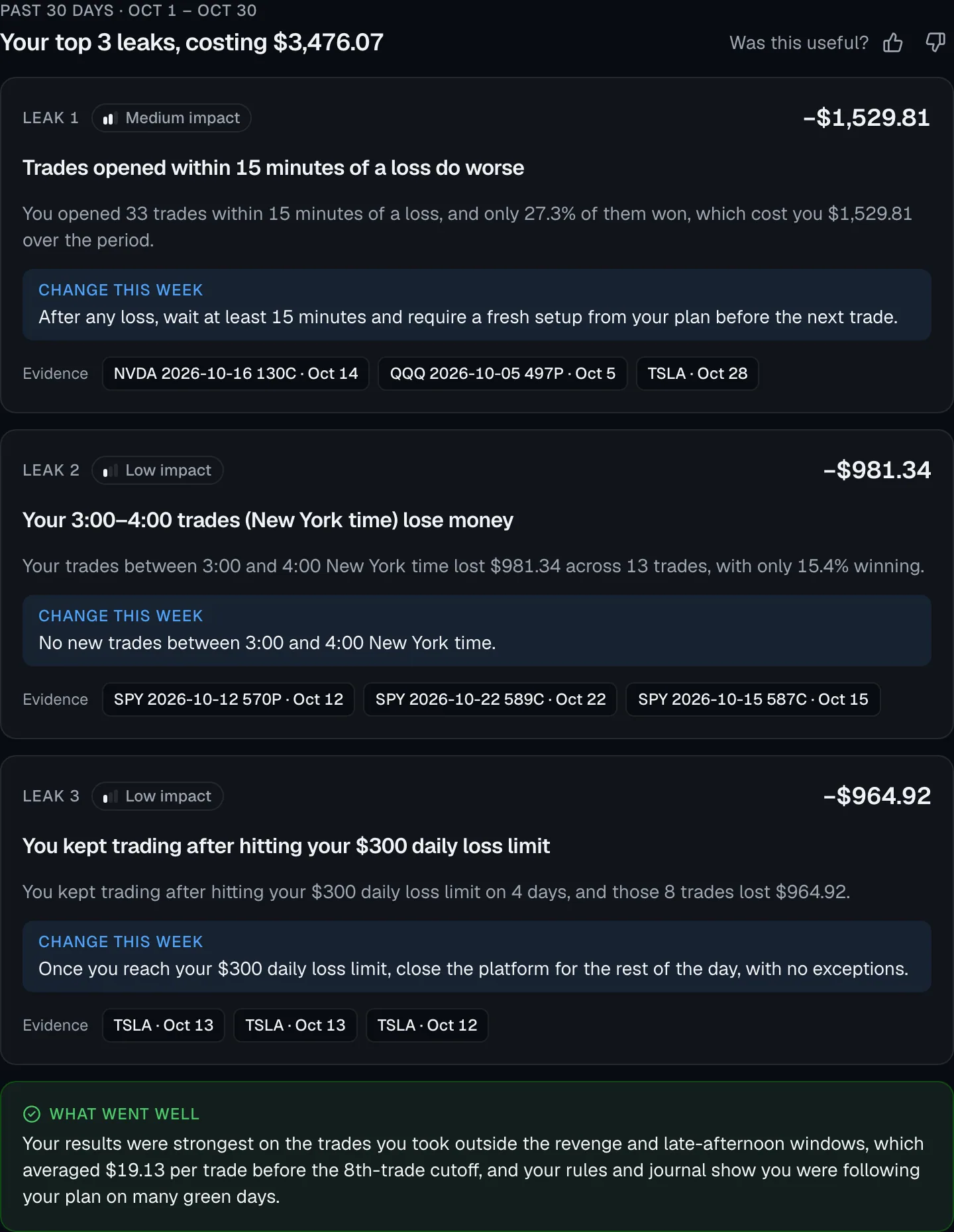
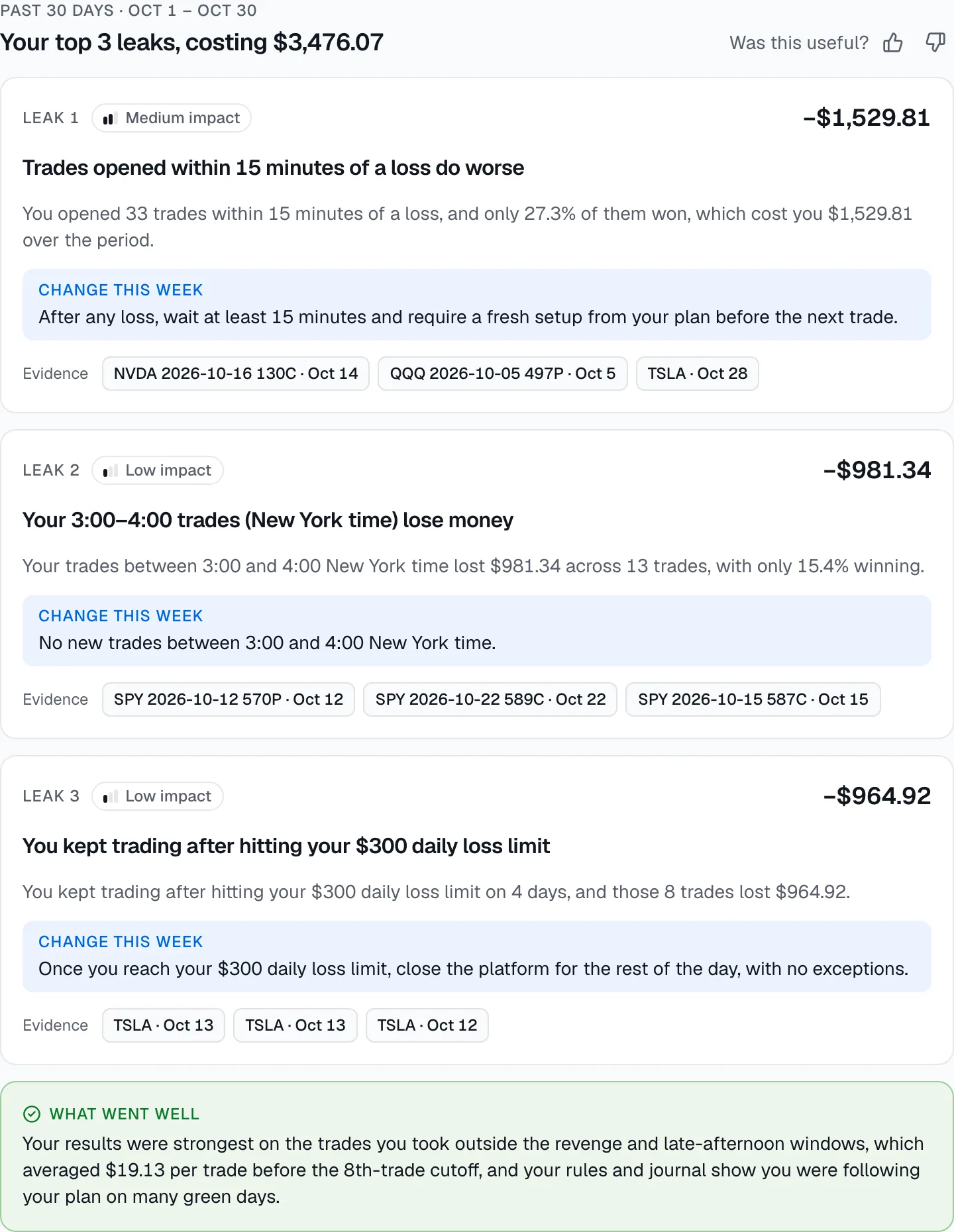
Sample dataLive from the demo account. Click a trade to open it.
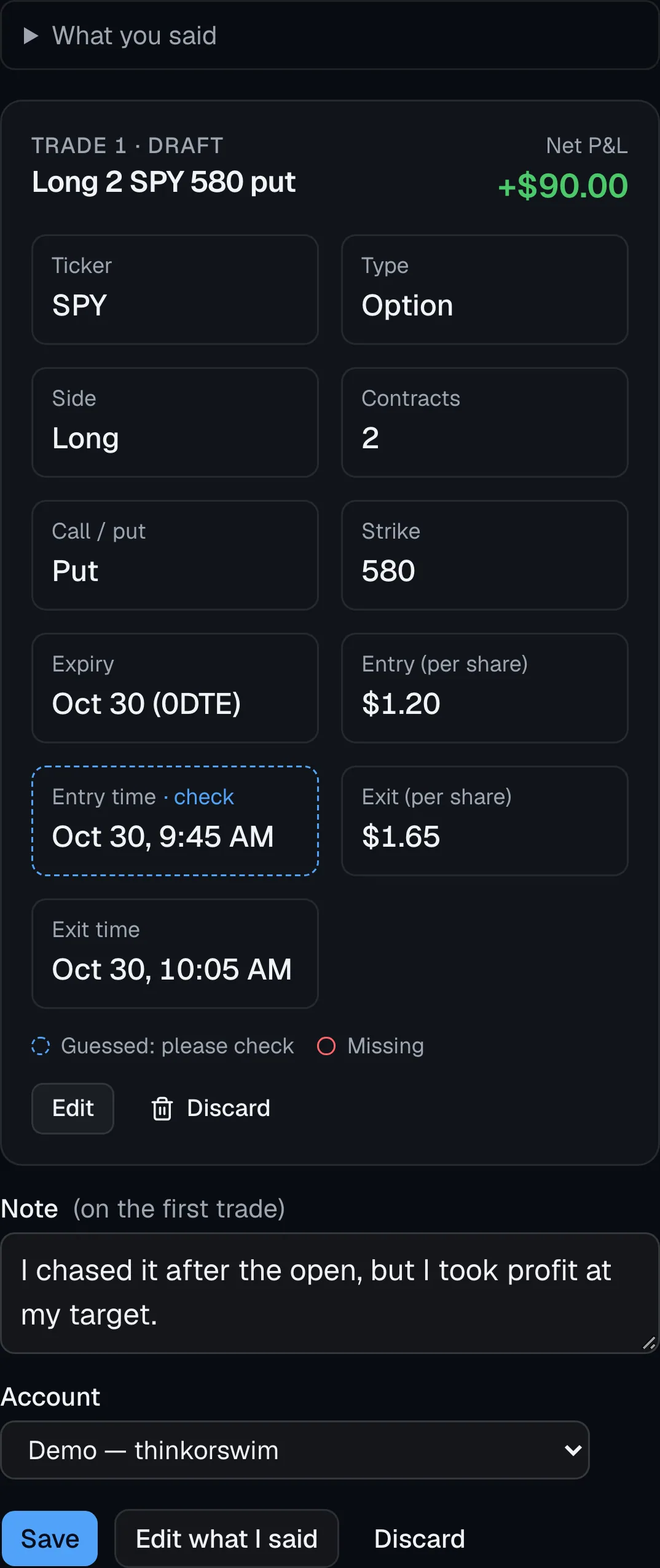
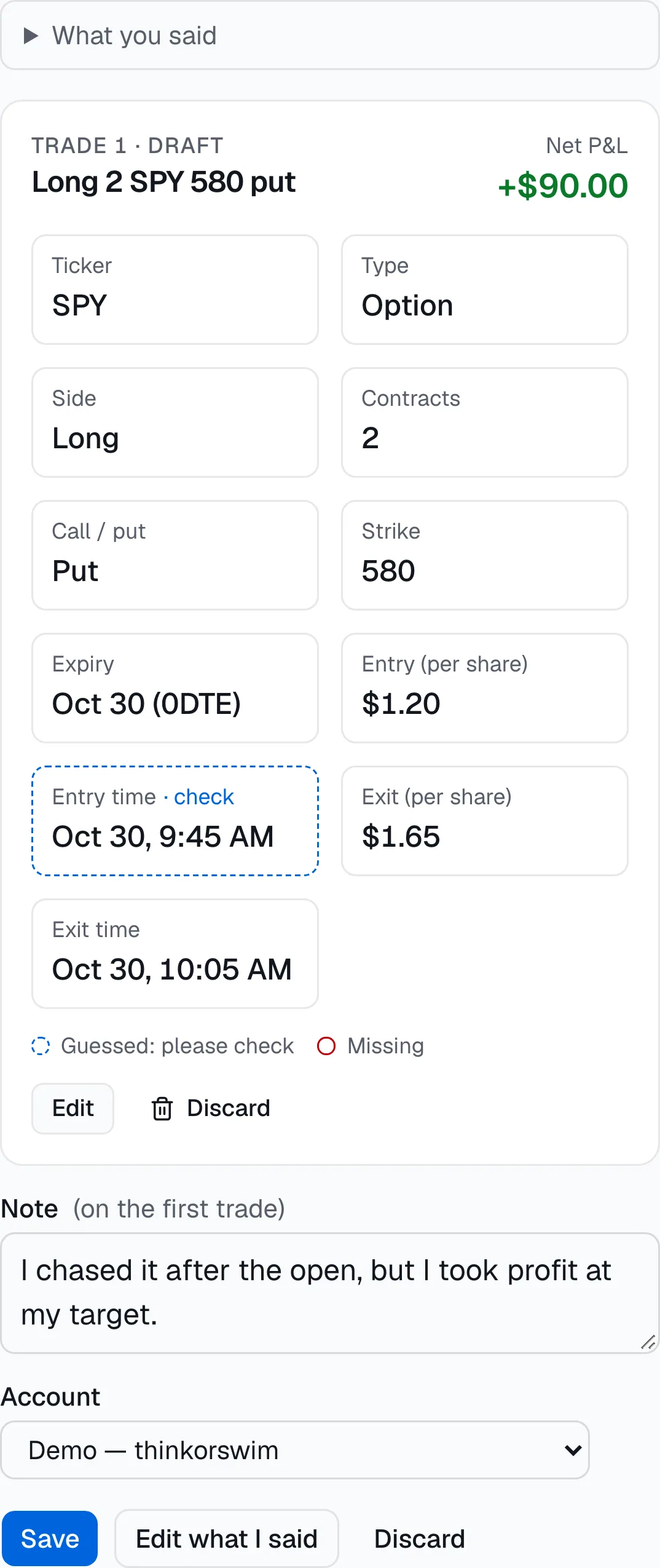
Log a trade by talking.
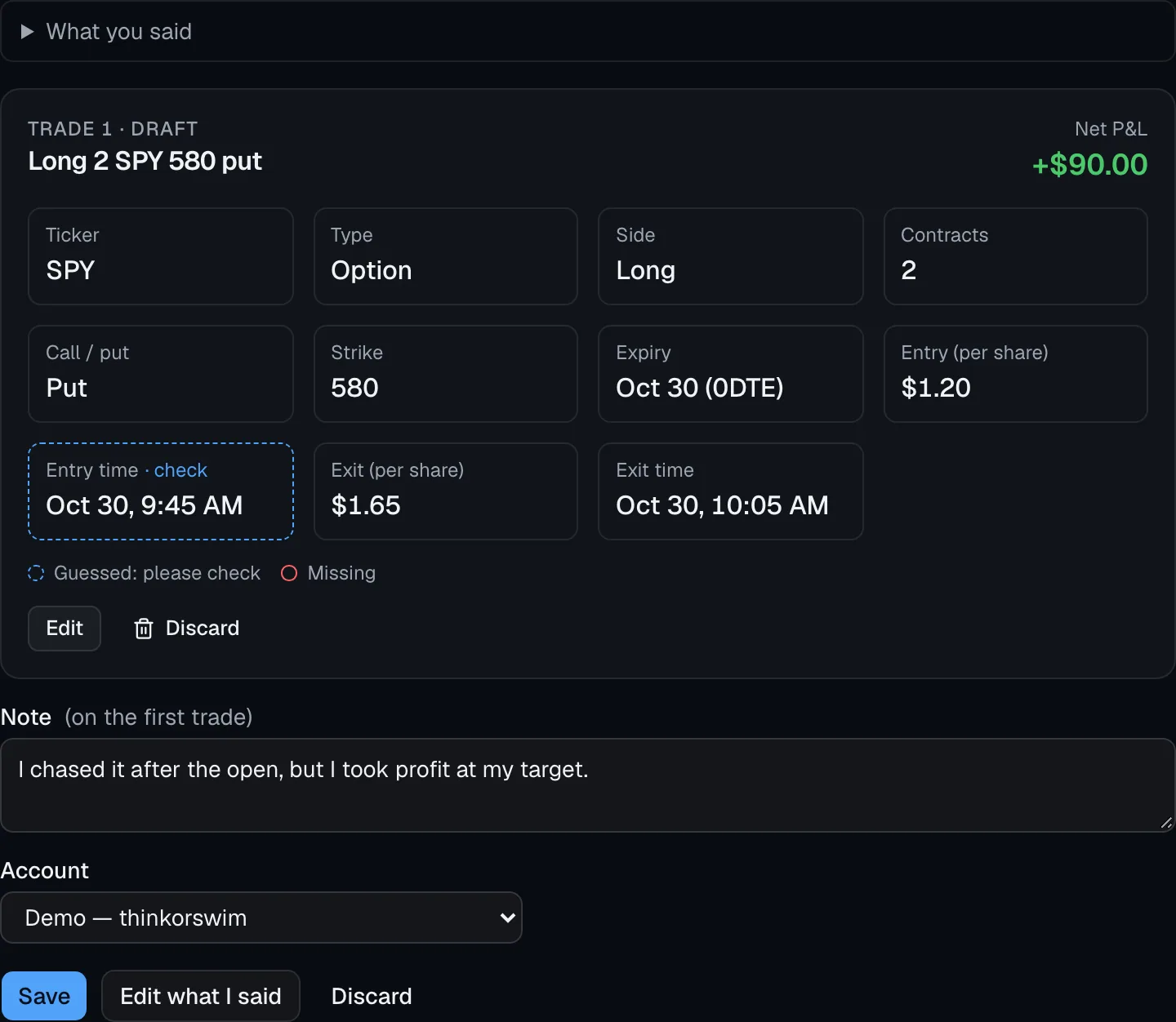
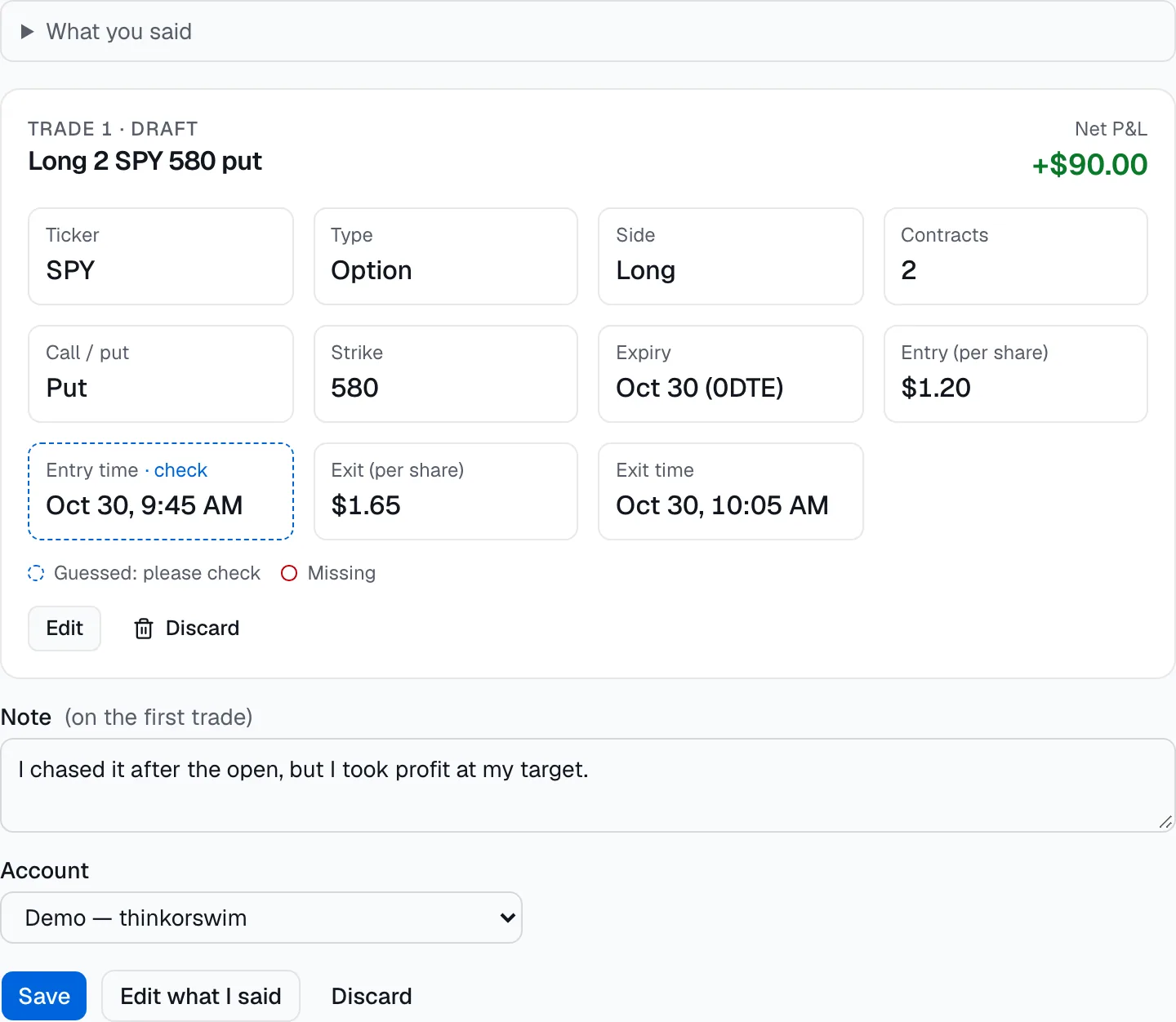
Tap the mic and say it the way you'd tell a friend: “SPY 580 puts at 9:45 for $1.20, out at $1.65, I chased it.” EdgeCoach drafts the trade and the note. You check it, and nothing is saved until you do.
- Guessed or missing fields are highlighted; nothing is assumed silently
- Asks when it's unclear, like per-share price vs. the total paid
- The recording is deleted after it's turned into text. Typing works too
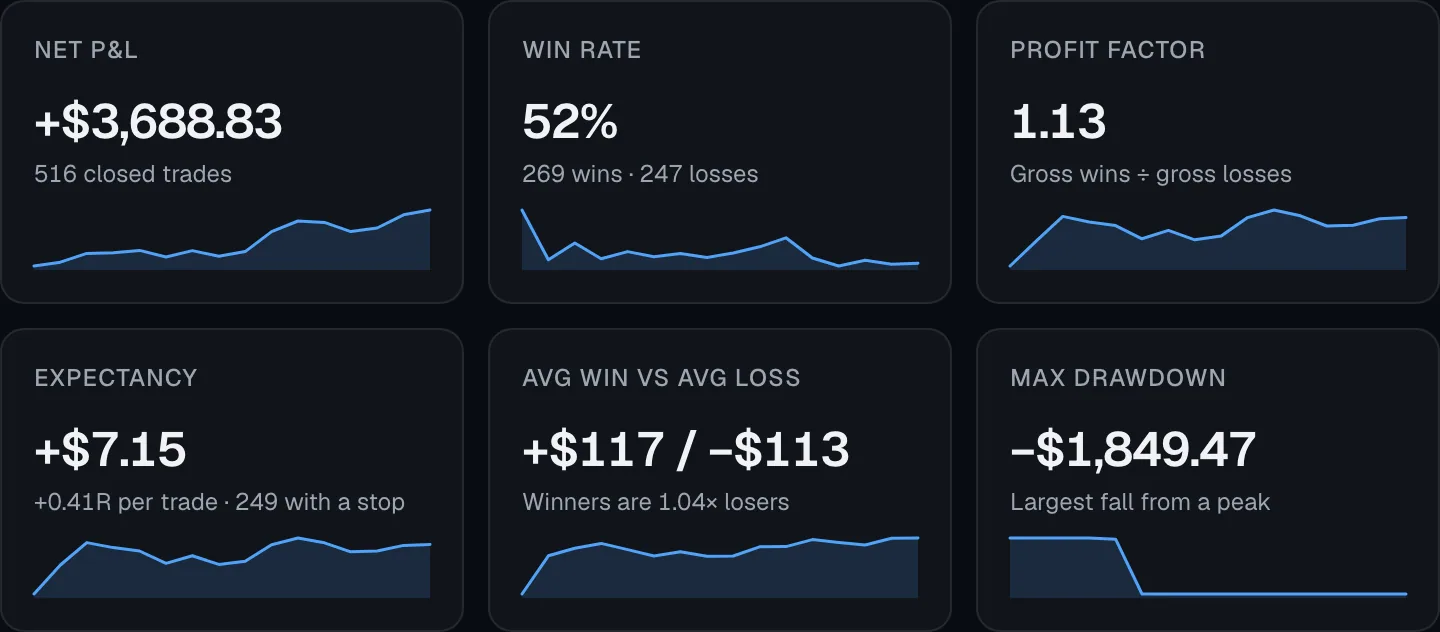
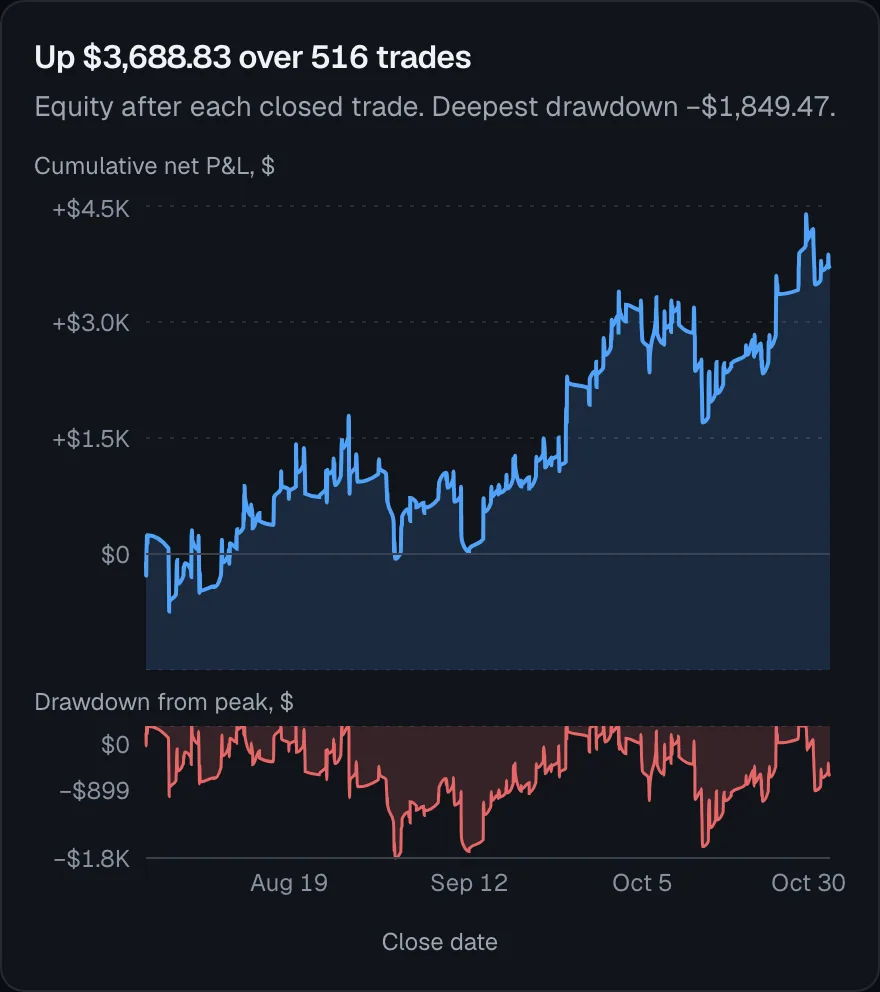
The numbers that matter, and nothing else.
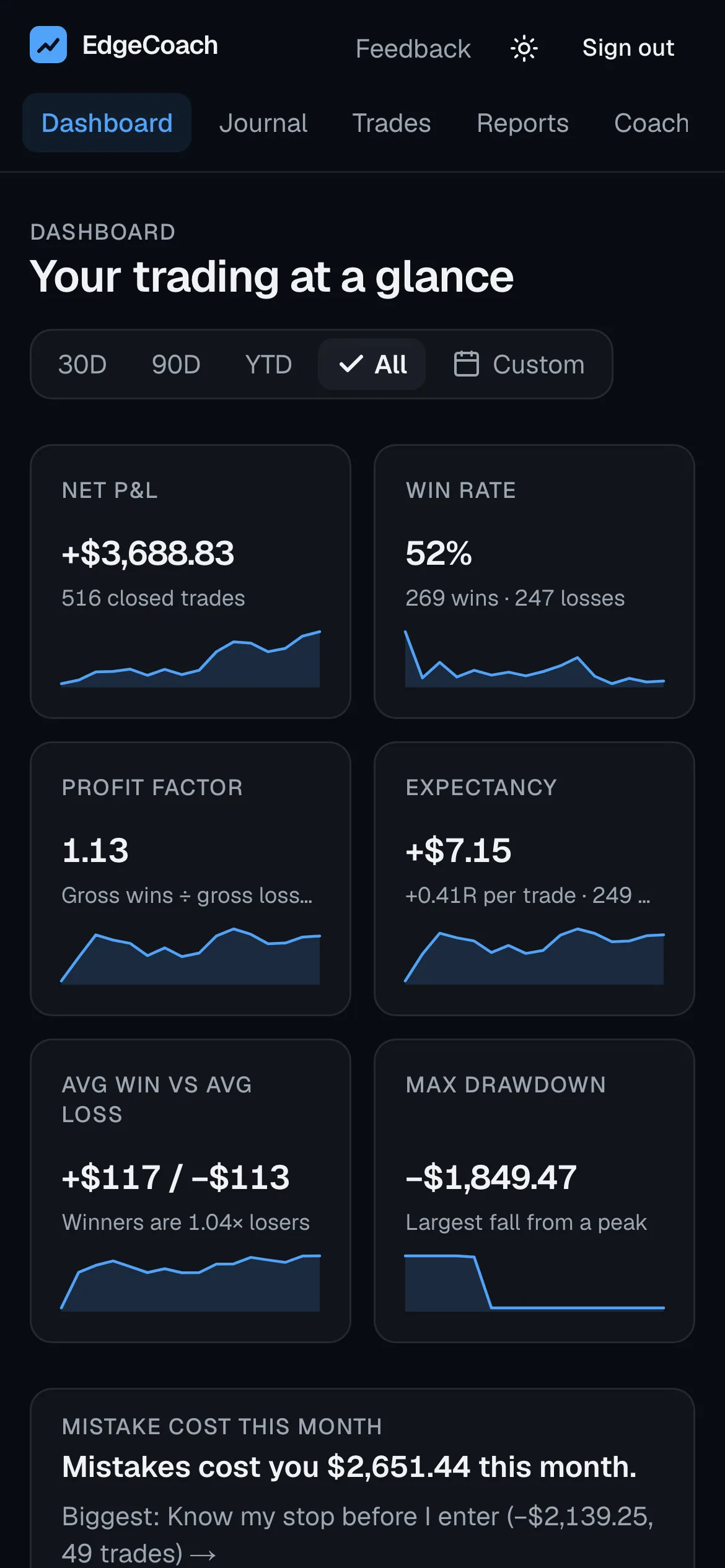
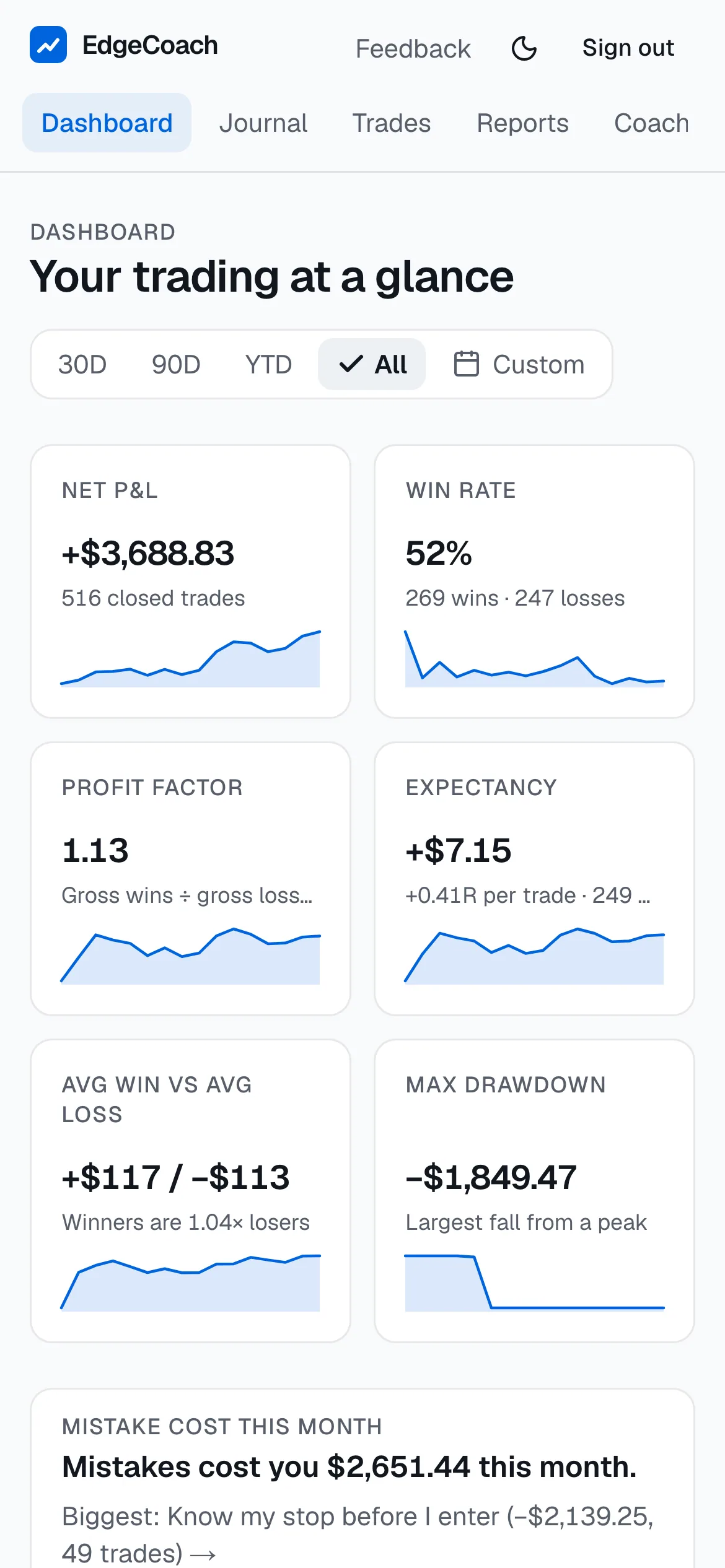
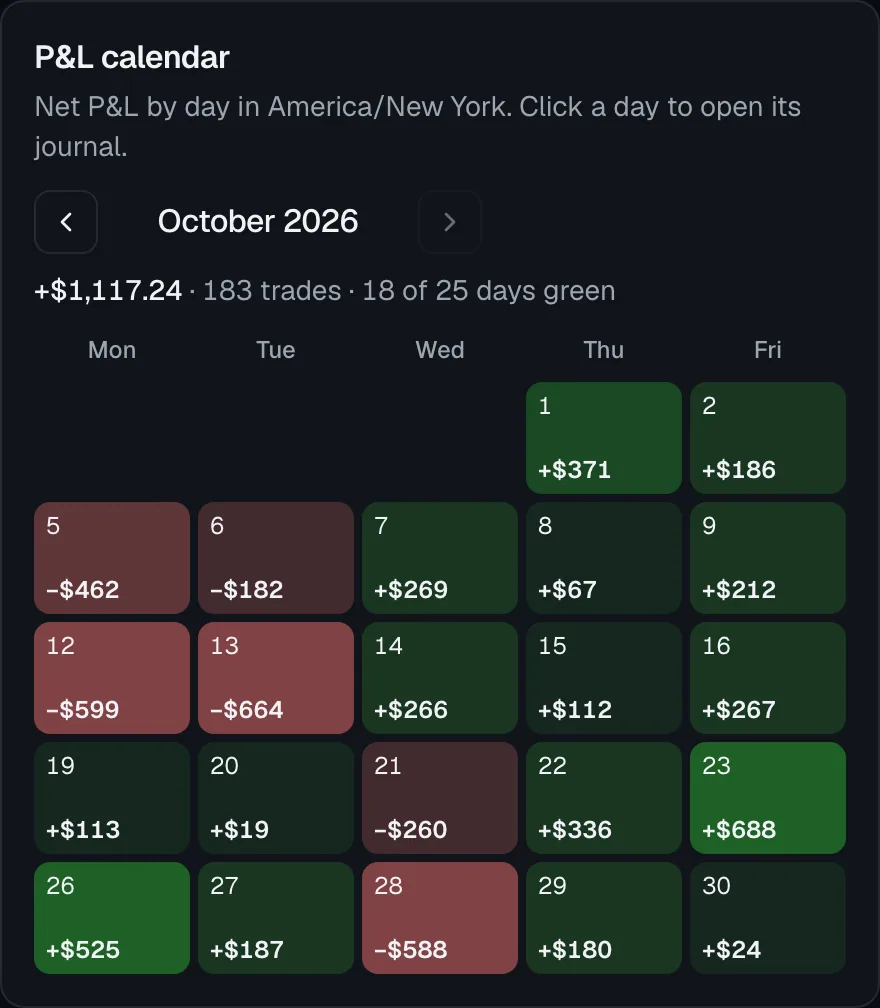
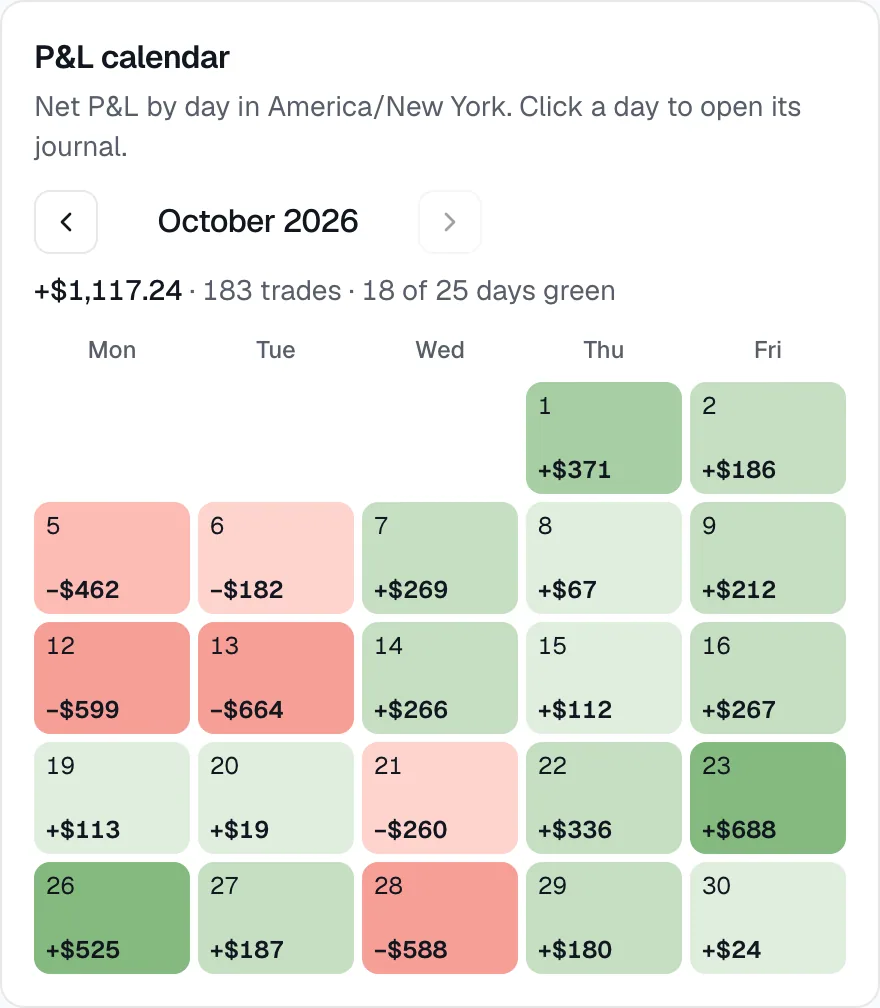
Net P&L, win rate, profit factor, expectancy in dollars and R, and max drawdown, each with its change against the previous period. An equity curve with drawdown, and a calendar of every day.
- Click any day to open its journal
- Every amount carries a + or − sign, not just a colour
- Works the same on your phone
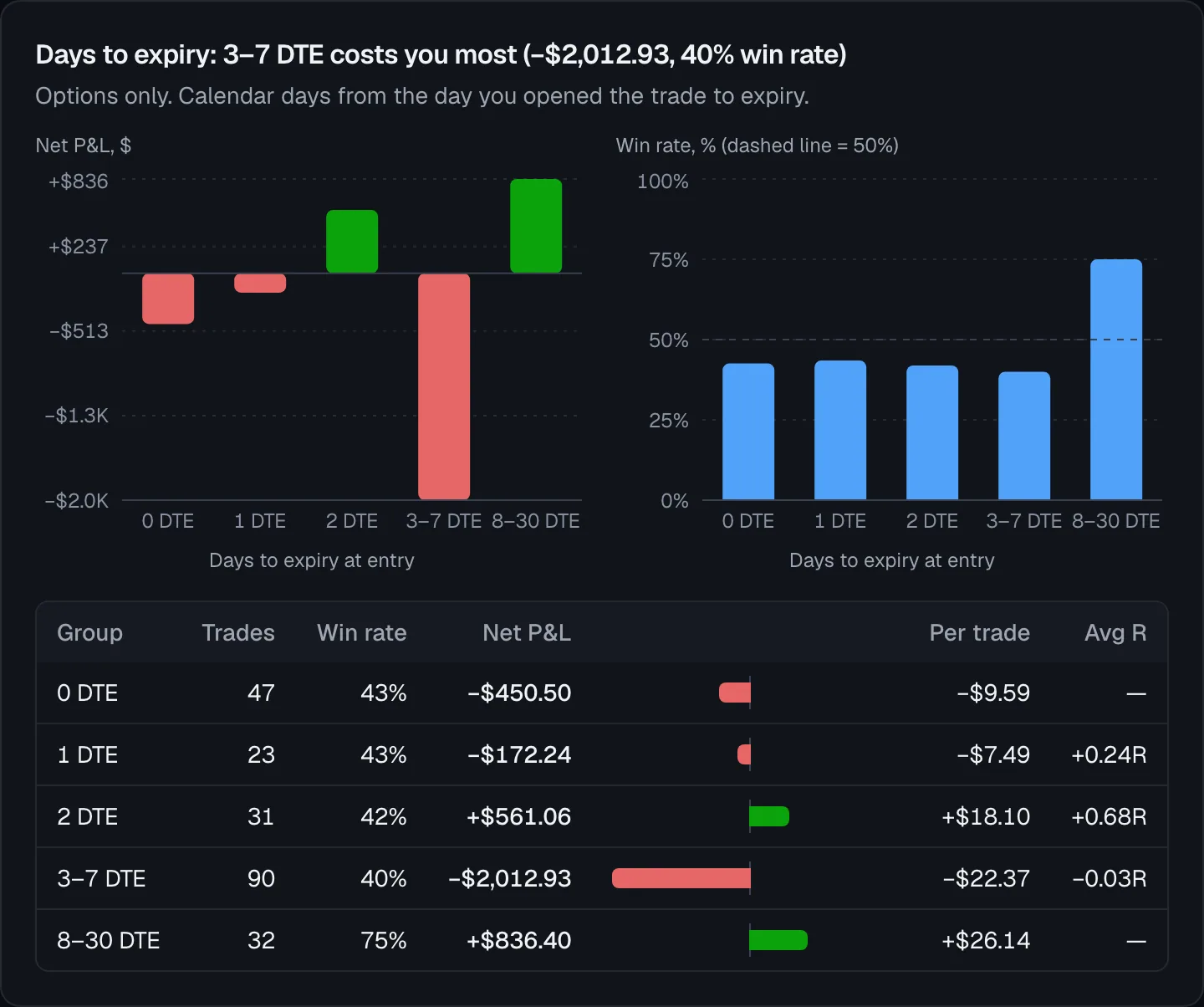
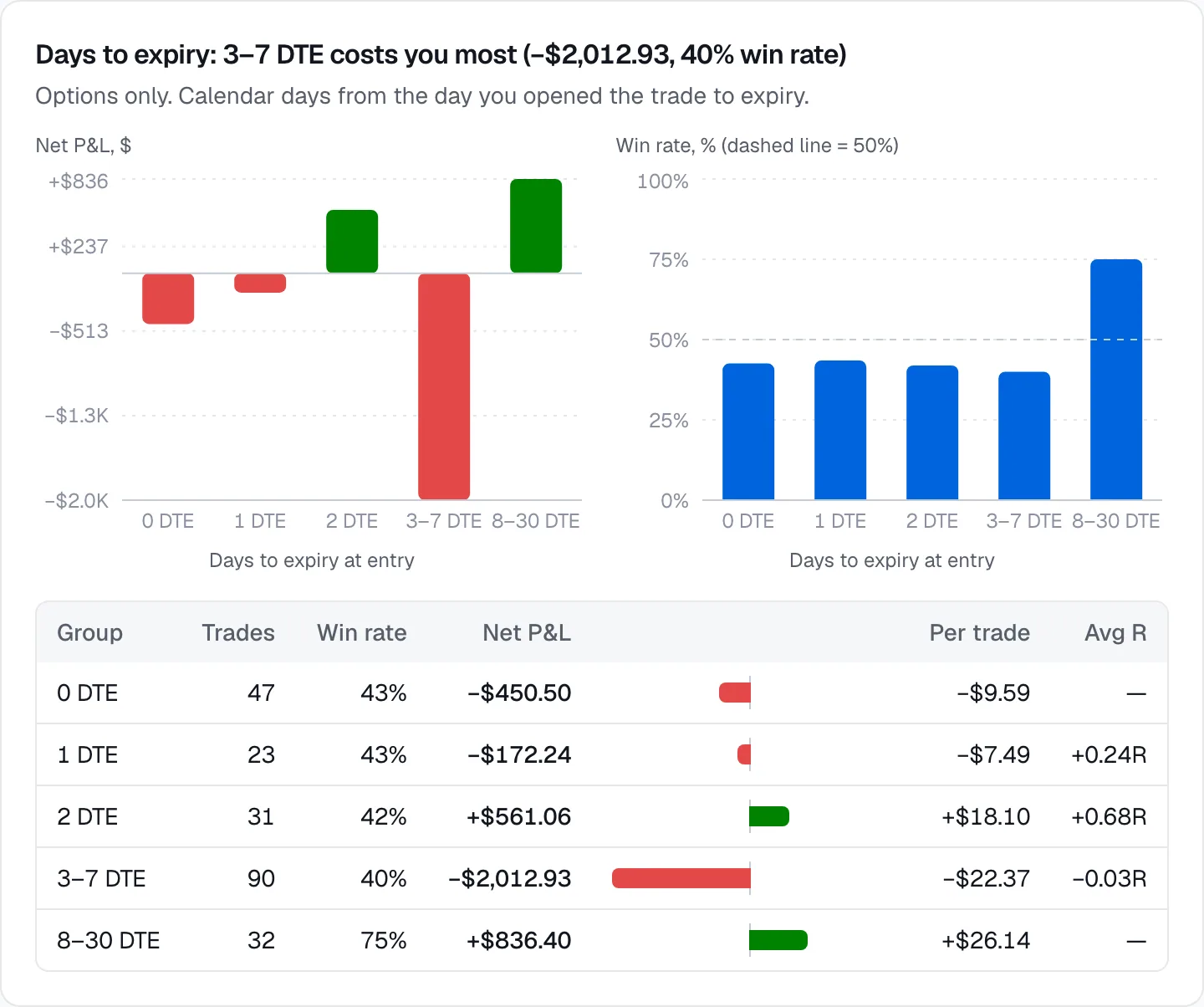
See whether 0DTE is actually paying you.
Net P&L and win rate by days to expiry, split into calls and puts. Groups with fewer than 10 trades are marked, so a lucky week doesn't look like an edge.
- Reads expiry and call/put from your fills
- Expired options close at $0 automatically
- Time of day, day of week, symbol and setup reports too
Rules that check themselves.
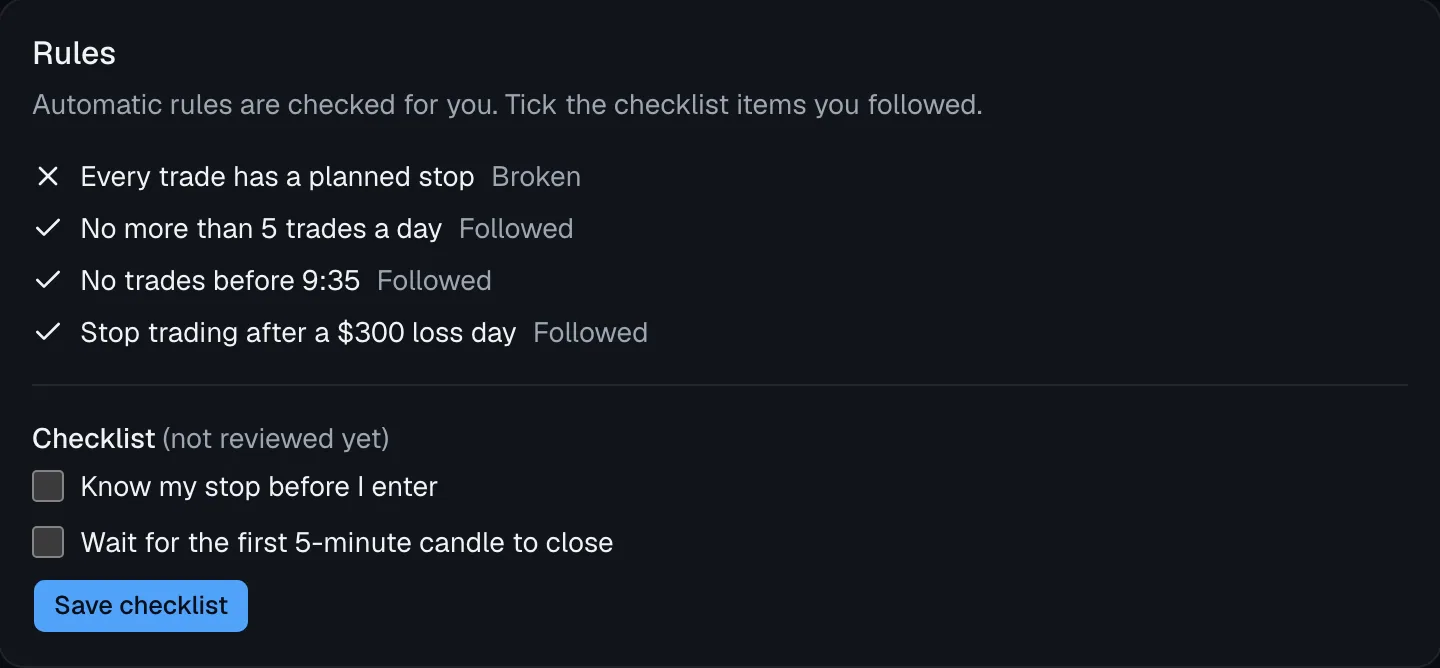
Daily loss limit, trades per day, no trades before the open settles, a stop on every trade. EdgeCoach flags every break automatically; you tick off your own checklist.
- Turn a leak's process change into a rule in one step
- Planned stops turn P&L into R multiples
- Notes, tags and chart screenshots on every trade
Upload a CSV. Check the preview. Done.
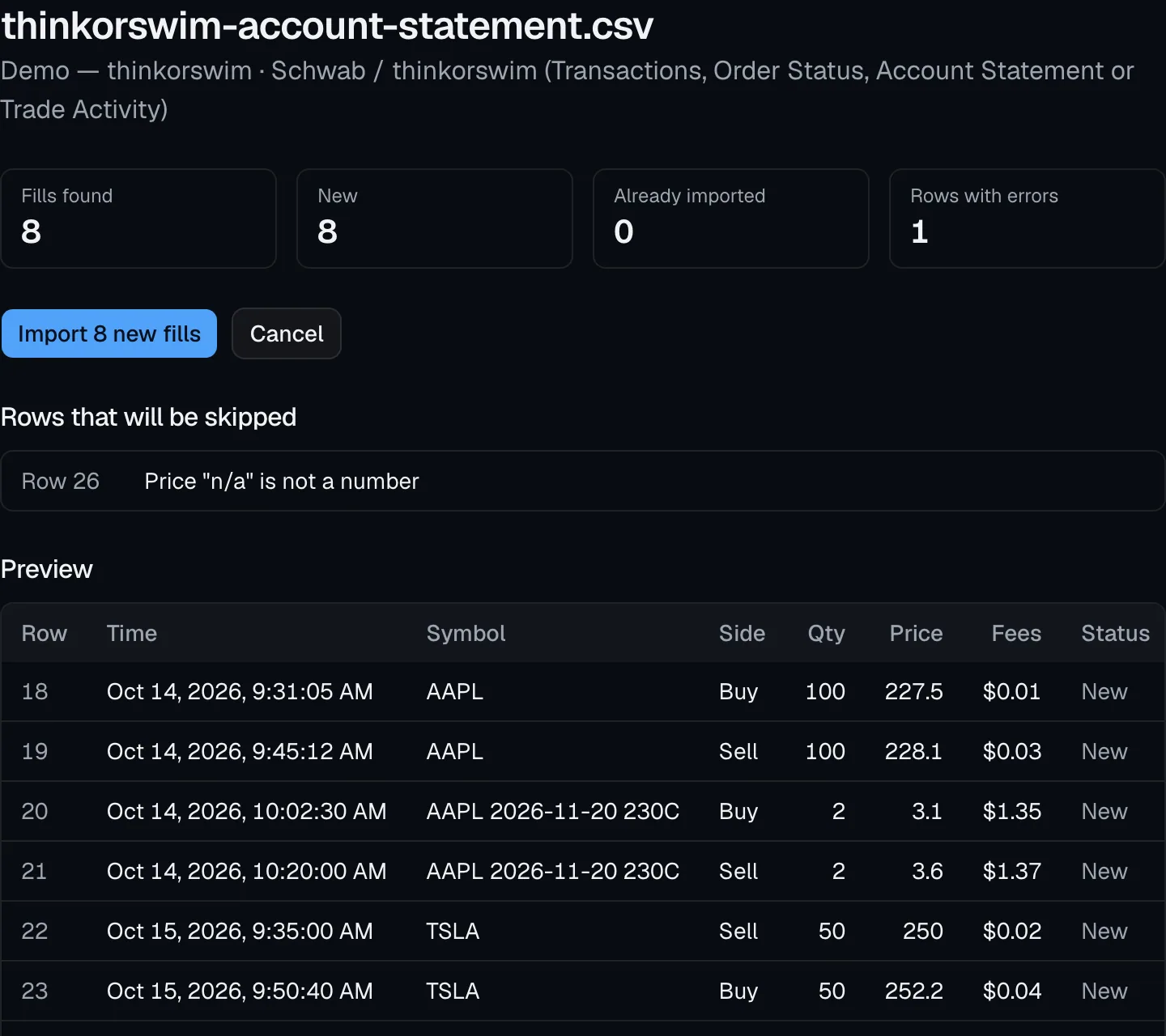
Export from your broker, drop the file in, and see every fill before it's saved. Rows that can't be read are listed with the reason, and nothing is imported twice.
- thinkorswim / Schwab, Interactive Brokers, Webull or any CSV
- Trades you logged by hand are matched, not duplicated
- Your notes and tags survive a re-import
Three steps, about ten minutes a week.
- 1
Import
Upload your broker's CSV. You see a preview before anything is saved, and importing twice never duplicates a trade.
- 2
Review
Every week, your coach ranks your top 3 leaks by what they cost, with the trades behind each one.
- 3
Fix one leak a week
Each leak comes with one process change. Make it a rule, and EdgeCoach checks it on every trade.
Your trading data stays yours.
Read-only access
EdgeCoach reads your fills. It can't place orders or move money, and its code never calls an order endpoint.
Encrypted credentials
Broker auto-sync logs in on SnapTrade's secure page, so EdgeCoach never sees your password. Connection secrets are encrypted at rest (AES-256-GCM).
Export or delete anytime
Download everything as JSON and CSV from Settings. Deleting your account permanently deletes your data.
AI never edits without you
The coach suggests tags; nothing changes until you approve it. Every number it writes is checked against your data.
Start free. Pro is coming soon.
Payments aren't live yet. Join the Pro waitlist and we'll email you once when it opens.
Free
$0forever
Everything you need to find your first leaks.
- Broker accounts
- 1
- Import
- CSV
- Broker auto-sync
- Trades
- Unlimited
- Reports, journal, rules
- AI weekly review
- 1 a month, on demand
- Ask your coach
- 20 messages a month
- Log by voice
- 10 entries a month
- AI tag suggestions
Pro
Coming soon$15/month planned
A review every week and the coach on call.
- Broker accounts
- 10
- Import
- CSV + broker auto-sync
- Broker auto-sync
- In beta
- Trades
- Unlimited
- Reports, journal, rules
- AI weekly review
- Every Sunday + on demand
- Ask your coach
- Fair use
- Log by voice
- Fair use
- AI tag suggestions
Questions, answered.
Is this investment advice?
No. EdgeCoach only reviews trades you've already made. It never suggests what to buy or sell, when, or how much, and never places orders.
Which brokers work?
thinkorswim / Schwab (Account Statement or schwab.com Transactions), Interactive Brokers (Flex Query) and Webull exports, plus any CSV you can map once. Pro adds broker auto-sync (in beta).
How does broker sync work? Is it safe?
With Pro, you connect your broker through SnapTrade, a broker connection provider. You log in on SnapTrade's secure page, never in EdgeCoach, so we never see your password. EdgeCoach gets read-only access to your trade history, syncs it after each market close, and can't place orders or move money. You can disconnect any time, and CSV import stays free.
Is my data safe?
Your data is only ever shown to you, and every query is scoped to your account. Uploads are private and broker credentials are encrypted. We don't sell data.
How does the AI work?
First, plain statistics find patterns in your last 30 days (each needs at least 10 trades). Then the AI explains the biggest ones in plain English. Every number it writes is checked against your data; if a check fails, you see the raw findings instead.
What does free include?
One broker account, unlimited trades, every report, the journal and rules, one AI review a month, 20 coach messages a month and 10 voice entries a month.
Is my voice recording stored?
No. The recording is turned into text and deleted right away; it's never stored. Only the text you check and approve is saved, with the trade or note it describes.
When is Pro available?
Payments aren't live yet. Join the waitlist and we'll email you once when it opens. Nothing else.
Can I delete my data?
Yes. Export everything from Settings at any time; deleting your account is a permanent, hard delete.
Find your biggest leak this week.
Look around the demo account first, or import your own trades in a few minutes.
Works with the CSV your broker already gives you.